Selecting the wrong LED display specifications may lead to subpar image quality, higher operating costs, and project delays. Low brightness will result in poor daytime visibility. A low refresh rate will cause moiré patterns in photos.
In this article, we will analyze key LED display specifications and teach you how to choose the right specifications for your application.
| Specification | What It Affects | Typical Range |
| Pixel Pitch | Image Clarity | P0.9-P31.5 |
Viewing Distance | User Experience | 2-100m+ |
Brightness | Visibility | 600-15000 nits |
Viewing Angle | Audience Coverage | 50°–160° |
Refresh Rate | Camera Performance | 1920/3840/3840Hz+ |
Resolution | Image Detail | HD–8K+ |
IP rating | Environmental Protection | IP20-IP66 |
Power Consumption | Operating Cost | 50-450 W/m² |
Cabinet Material | Weight & Durability | Steel / Aluminum / Die-Cast Aluminum |
Maintenance Method | Serviceability | Front Service / Rear Service |
If you stand 2 meters away and view the screen, a P10 LED display will typically show noticeable pixelation. However, a P2 will display finer images and text. The pixel pitch drives this difference. It is the physical distance between the center points of two adjacent pixels, measured in millimeters. The model number is typically indicated by the letter “P” followed by this distance value. The smaller the pitch, the higher the pixel density and clarity—and the higher the cost.
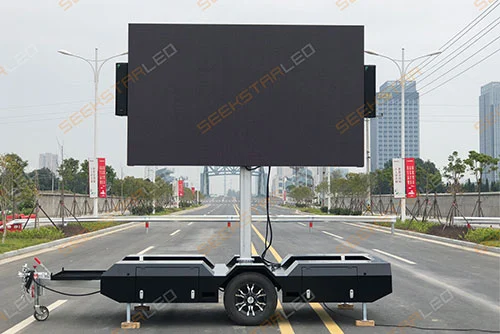
For example, if your screen is in a tiny conference room, with a front-row viewing distance of only about 1.5 meters, you should normally go for a fine-pitch LED display with a pitch of P2 or lower. Conversely, if your screen is an outdoor advertising screen on the outer wall of a shopping mall, people usually stand a greater distance to view it. Then you should generally select a model with a pitch of P6 or higher, as a finer pitch would incur unnecessary expenses without adding visible value.
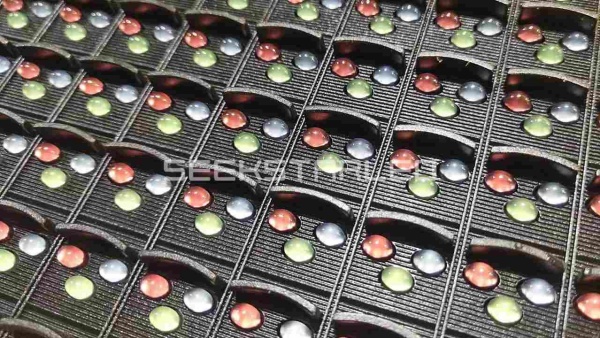
Viewing distance is closely related to the pixel pitch mentioned above. The smaller the pixel pitch, the closer the viewing distance. A larger pixel pitch is more suitable for viewing at a distance. In project planning, viewing distance is almost always the baseline for your setup. Here are some calculation formulas for your reference:
Minimum viewing distance (m) ≈ Pixel pitch (mm) × 1
Optimal viewing distance (m) ≈ Pixel pitch (mm) × 2 ~ Pixel pitch (mm) × 3
Maximum viewing distance (m) ≈ Pixel pitch (mm) × 30
Below is a summary table of commonly used pixel pitches and their viewing distances.
Pixel Pitch (mm) | Minimum Viewing Distance (m / ft) | Optimal Viewing Distance (m / ft) | Maximum viewing distance (m / ft) |
P1.25 | 1.25 m / 4.10 ft | 2.5 to 3.75 m (8.2ft to 12.3ft) | 37.5 m / 123.0 ft |
P1.5 | 1.5 m / 4.92 ft | 3 to 4.5 m (9.8ft to 14.8ft) | 45 m / 147.6 ft |
P1.86 | 1.86 m / 6.10 ft | 3.7 to 5.6 m (12.1ft to 18.4ft) | 55.8 m / 183.1 ft |
P2 | 2.0 m / 6.56 ft | 4 to 6 m (13.1ft to 19.7ft) | 60 m / 196.9 ft |
P2.5 | 2.5 m / 8.20 ft | 5 to 7.5 m (16.4ft to 24.6ft) | 75 m / 246.0 ft |
P3 | 3.0 m / 9.84 ft | 6 to 9 m (19.7ft to 29.5ft) | 90 m / 295.3 ft |
P3.91 | 3.91m / 12.82ft | 7.8 to 11.7 m (25.6ft to 38.4ft) | 117.3 m / 384.7 ft |
P4 | 4.0 m / 13.12 ft | 8 to 12 m (26.2ft to 39.4ft) | 120 m / 393.7 ft |
P5 | 5.0 m / 16.40 ft | 10 to 15 m (32.8ft to 49.2ft) | 150 m / 492.1 ft |
P6 | 6.0 m / 19.68 ft | 12 to 18 m (39.4ft to 59.1ft) | 180 m / 590.4 ft |
P8 | 8.0 m / 26.25 ft | 16 to 24 m (52.5ft to 78.7ft) | 240 m / 787.4 ft |
P10 | 10.0 m / 32.81 ft | 20 to 30 m (65.6ft to 98.4ft) | 300 m / 984.3 ft |
P16 | 16.0 m / 52.49 ft | 32 to 48 m (105ft to 157ft) | 480 m / 1574.8 ft |
P20 | 20.0 m / 65.62 ft | 40 to 60 m (131ft to 197ft) | 600 m / 1968.5 ft |
P25 | 25.0 m / 82.00 ft | 50 to 75m (164ft to 246ft) | 750 m / 2460 ft |
Indoor LED displays with excessively high brightness may cause eye strain.
Conversely, outdoor LED displays with low brightness will appear white or gray when exposed to sunlight. Visibility is greatly reduced. It refers to the light intensity emitted per unit area of the screen under normal operating conditions. The unit is nits, or candelas per square meter (cd/m²).
Higher brightness is not always better. The key factor is the specific application scenario. If your traffic LED display is solar-powered, you need to consider visibility and energy consumption when choosing the brightness. Higher brightness requires a lot of electricity, and the battery will run out quickly. However, as the size of the solar panels and batteries increases, the cost rises.
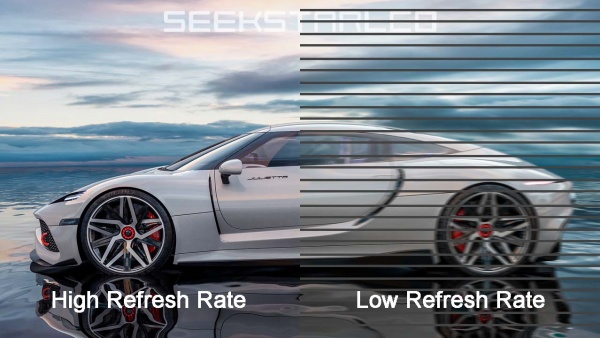
Refresh rate is the number of times a screen refreshes its image per second, measured in Hz. The higher the refresh rate, the more stable and smooth the image appears. A refresh rate of 1920Hz is generally sufficient for normal viewing, but a camera may capture ripples or flicker. 3840Hz and above are considered high refresh rates. It provides an excellent viewing experience with virtually no scan lines in camera footage.
Viewing angles commonly include horizontal and vertical angles. A wider angle typically results in a better viewing experience. Is a broader angle always preferable, though? The answer is obviously no. If your screen is used for traffic guidance, drivers usually view the screen from a fixed direction. An overly large angle causes light pollution, decreases frontal brightness, and wastes light energy. Therefore, we advise using a horizontal viewing angle of 70° to 120° for urban traffic LED display and 30° to 70° for highway VMS.
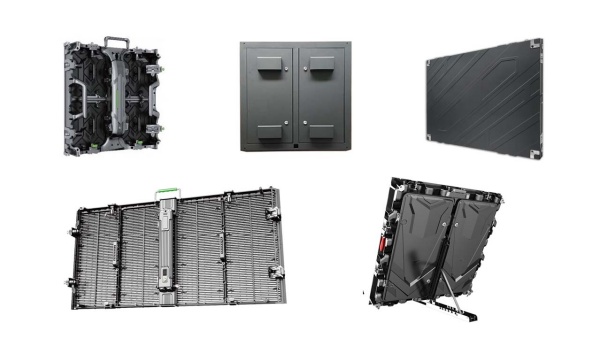
Resolution is the number of pixels horizontally multiplied by the number of pixels vertically. Higher resolution means a sharper image and more realistic details displayed on your screen. There's a common misconception. Many people think resolution depends solely on the screen's specifications, but both screen area and pixel pitch actually determine it. A P1.25 display has four times the number of pixels as a P2.5 display on the same screen size. However, a larger P2.5 screen may have more total pixels than a considerably smaller P1.25 screen.
The protection rating indicates the screen's dust and water resistance, expressed as IP followed by two digits. The first digit represents dust resistance (0-6). The second digit represents water resistance (0-8). The higher the number, the stronger the protection. Outdoor fixed screens generally require an IP65 rating. If the rating is insufficient, after a heavy rain, the LEDs may get wet and short-circuit, and a large section of the screen may go black.
Power consumption refers to the electrical energy consumed by an LED display screen under normal operating conditions. It typically involves two key indicators: peak power consumption and average power consumption.
Peak power consumption should be prioritized in the overall power distribution design and cable selection. Many buyers focus on display performance but overlook the impact of average power consumption on running costs. Screens from different manufacturers might have up to a 30% difference in average power consumption for the same model, size, and brightness. What is the difference? The reason is the performance of the LED chips, the driver IC solution, and the power conversion efficiency. With long-term use, the additional electricity costs could cover the purchase of another small screen.
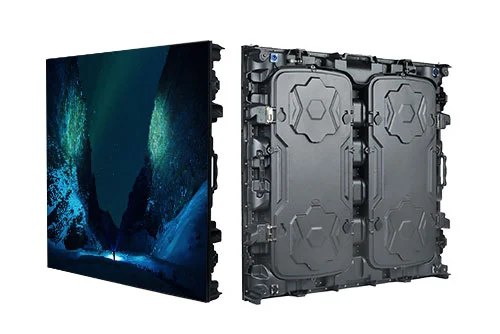
The type of cabinet material has a direct impact on the screen's safety, installation cost, lifespan, and simplicity of maintenance. The most often utilized materials are sheet metal steel and die-cast aluminum. Sheet metal aluminum and die-cast magnesium alloys are also employed in particular applications. To help you better comprehend them, we've put together a comparative table:
Cabinet Material | Characteristics | Application Scenario |
Sheet Metal Steel | Strong, economical, but heavy | Indoor/Outdoor fixed installation |
Sheet Metal Aluminum | Lighter than steel, rust-resistant | Outdoor fixed installations, Traffic VMS |
Die-Cast Aluminum | Lightweight, precise, easy to assemble | Fine-pitch, Premium fixed installations, Rental |
Die-cast magnesium alloy | Ultra-lightweight, premium solution | Stage rental, Hanging installation |
Choosing a maintenance method for an LED screen essentially involves a trade-off between installation space, initial cost, and long-term maintenance convenience. Currently, there are three main maintenance methods for LED displays: front maintenance, rear maintenance, and both front and rear maintenance.
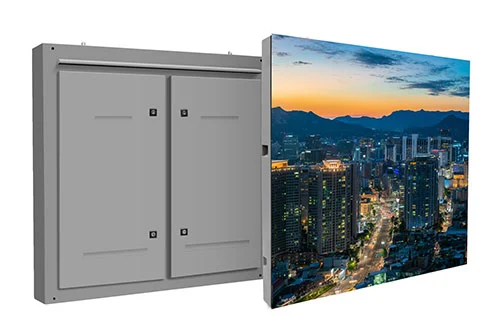
When your LED display is installed against a wall with limited space behind it, we recommend front maintenance. If there is enough space behind the screen and the screen thickness is not a key concern (for example, steel structure installation or column mounting), we recommend rear maintenance. For high-brightness outdoor screens, this method is more cost-effective and offers better heat dissipation. For projects that require a high level of maintenance flexibility, such as rentals, XR virtual photography, and high-end commercial displays, we recommend combining front and rear maintenance.
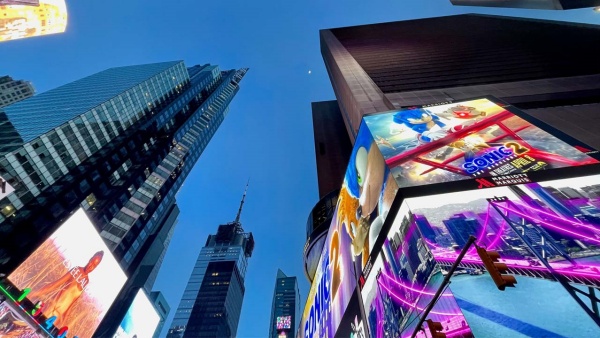
What's your biggest concern when designing solutions for clients? The installation and debugging of the screen were completed, but the client was not satisfied. The problem is the incorrect order of specification selection. You've carefully studied the parameter table but still don't know how to choose. The following is a practical guide to help you choose the right specifications for your project.
First, at the project's initial stage, visit the installation site. Observe the lighting at the installation site, the approximate viewing distance, measure the dimensions of the installation area, and clarify whether camera shooting is required.
Then, understand what content the screen will display and whether there are energy-saving requirements. Finally, work through the budget, explaining to the client which budget items should be spent and which can be reduced.
Completing these processes ensures that your technical solution precisely meets the client's application. More significantly, the client will see you as competent and trustworthy. You will most likely be the top option for future projects.
The following table covers common LED display configurations for different application scenarios.
Application | Pixel Pitch | Brightness | Refresh Rate | IP Rating |
Meeting Room | P1.25–P2.5 | 600–1000 nits | ≥3840Hz | IP20-IP30 |
Churches | P1.86–P2.5 | 600–1000 nits | 1920-3840Hz | IP20-IP30 |
Retail Store | P1.5–P4 | 800–1500 nits | 1920-3840Hz | IP20-IP30 |
Control Rooms | P0.9-P1.86 | 600–1000 nits | ≥3840Hz | IP20-IP30 |
Outdoor Advertising | P3–P10 | 5000–8000 nits | ≥3840Hz | IP65 |
Outdoor Rental Events | P2.976-P4.81 | 4000–6000 nits | ≥3840Hz | IP54-IP65 |
Sports Stadium | P6–P10 | 5000–7000 nits | ≥3840Hz | IP65 |
Traffic VMS Display | P10–P20 | 7000–12000 nits | ≥1920Hz | IP65/IP66 |
Q1: How do I choose the right pixel pitch?
First, measure the viewing distance, then refer to the quick reference table and screen size to choose the pixel pitch within your budget.
Q2: Is higher brightness always better?
No. Excessive brightness may accelerate LED chip degradation, reduce screen lifespan, increase power consumption, and generate excess heat.
Q3: What refresh rate is recommended for broadcasting?
For broadcasting scenarios, a refresh rate of 3840Hz or higher is strongly recommended for LED displays. A high refresh rate allows dynamic images, especially fast-moving content such as sports events and performances, to play more smoothly without ghosting or stuttering.
Q4: Is higher resolution always better?
No. Screen size and pixel pitch both affect full-screen resolution. However, you also need to consider the content being played and the viewing distance. Choosing a high resolution at random will raise costs.
Q5: What is a good IP rating for outdoor LED displays?
For most outdoor LED display projects, an IP65 protection rating is recommended. If the project is located in a coastal, humid, rainy, or harsh environment, an IP66 or higher protection rating can be considered.
Q6: How much electricity does an LED screen consume?
The power consumption of LED displays depends mainly on pixel pitch, brightness, screen area, and usage time. Generally, the average power consumption of indoor LED displays is about 100–300 W/m², while that of outdoor LED displays is about 200–450 W/m².
Choosing the right LED display isn't about going for the highest numbers on a spec sheet. It is about matching the proper specifications with your actual application.
If you are planning an LED display project but are confused about the specifications to use, please contact the SEEKSTARLED team. Simply provide the screen size, viewing distance, installation environment, and application requirements, and we will get you free specification selection guidance and a quote.


 English
 日本語
日本語 français
 Deutsch
 Español
 italiano
 русский
 português
 العربية