Conference Room LED Planning
A conference room LED wall has to do several jobs at the same time. People may read presentation text from the back of the room, sit close enough to notice pixel structure, join video meetings, view spreadsheets and dashboards, and sometimes record the display with cameras. For this reason, the right LED configuration depends on screen dimensions, viewer positions, content detail, native resolution, maintenance access and camera requirements—not simply the smallest pixel pitch available.
Direct-view LED is increasingly used in boardrooms, executive meeting rooms, command spaces and large conference rooms because it can create a seamless display surface without the panel bezels associated with traditional LCD video walls.
However, a technically impressive LED wall can still be the wrong choice if it is too small for the farthest viewer, too coarse for the nearest viewer, oversized for the source content or difficult to maintain after installation.
If you are comparing complete indoor LED product families, see the Indoor LED Video Wall range.
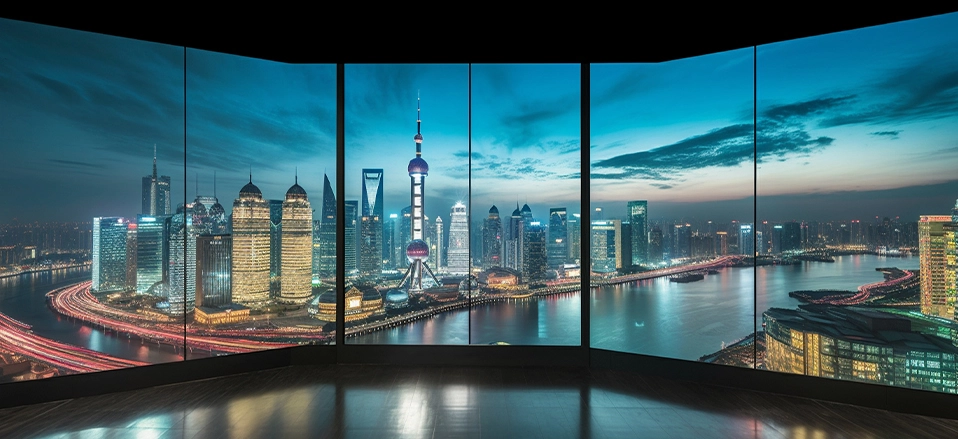
Conference-room LED planning should consider screen size, viewing positions, resolution, camera use and service access as one complete system.
Before discussing P1.2, P1.5 or 4K, collect five pieces of information about the room.
01
Identify both the nearest important viewer and the farthest seat that must clearly read the displayed information.
02
Measure usable width and height rather than selecting an arbitrary display diagonal first.
03
A video meeting with large faces has different resolution needs from spreadsheets, dashboards or detailed engineering drawings.
04
If the LED wall will appear behind speakers during Teams, Zoom, recording or streaming, refresh and camera compatibility become more important.
05
A screen installed directly against a finished wall may need front-service access rather than a rear maintenance corridor.
One common mistake is starting the quotation with “We need a P1.25 LED display.” The first question should usually be whether the proposed image is large enough for everyone in the room to understand the content.
A large boardroom may require a physically larger image even when the nearest viewer is relatively close. A smaller executive room may need a fine pixel pitch but a much smaller overall wall.
For formal audiovisual design, the AVIXA Display Image Size standard provides a structured way to relate display image size and viewer position to the type of visual task performed in the room.
Practical rule: design from the content backwards. Ask whether the person in the farthest important seat can read the smallest content they actually need to use—not simply whether they can see that a screen is present.
Once the screen dimensions are roughly known, pixel pitch determines how many native pixels fit into that physical area. Smaller pitch increases pixel density and can improve the rendering of small text and detailed graphics at close viewing distances.
It also usually increases system cost, processing load and the number of electronic components within the same screen area. The goal is therefore not to buy the smallest pitch available, but to choose the coarsest pitch that still meets the visual requirement with adequate margin.
| Pitch Range | Where It Often Enters the Shortlist | What to Check |
|---|---|---|
| P0.9–P1.2 | Compact premium boardrooms, executive rooms or screens carrying very detailed close-view information. | Whether the extra pixel density is genuinely visible and useful at the nearest seat. |
| P1.2–P1.5 | Conference and boardroom walls requiring strong text clarity, presentations and video at relatively close viewing distances. | Native resolution, cabinet dimensions, room depth and budget. |
| P1.5–P1.9 | Medium-to-large conference rooms where screen area is larger and most viewers are not immediately next to the wall. | Smallest text size and whether the front row can accept the visible pixel structure. |
| P1.9–P2.5 | Larger multi-purpose meeting spaces where viewing distances are longer and content is dominated by video or larger graphics. | Whether the screen still provides enough native pixels for presentation text and remote participants. |
For a dedicated distance and pitch analysis, use our LED Display Pixel Pitch & Viewing Distance Guide .
Pixel pitch becomes meaningful only when it is combined with physical screen dimensions. A P1.25 display does not automatically mean 1080p or 4K. The final native resolution depends on how large the finished wall is.
LED wall resolution formula
Horizontal pixels = screen width in mm ÷ pixel pitch in mm
Vertical pixels = screen height in mm ÷ pixel pitch in mm
Native resolution = horizontal pixels × vertical pixels
A nominal P1.25 LED wall measuring approximately 2.4 m × 1.35 m contains about:
2400 ÷ 1.25 = 1920 horizontal pixels
1350 ÷ 1.25 = 1080 vertical pixels
That is approximately a native 1920 × 1080 LED canvas.
To reach approximately native 4K at the same pitch, the physical display becomes roughly 4.8 m × 2.7 m. This illustrates an important point: 4K is not simply a setting in the processor—it describes how many physical pixels exist in the completed display.
Do not over-specify resolution: an LED wall does not always need to reproduce a 4K source pixel-for-pixel. A video processor can scale the source to the wall's native raster, and the visual result may still be excellent at the intended viewing distance.
For more calculation examples, see the LED Display Resolution Guide.
A conference room does not automatically become better because the LED wall is native 4K. The useful resolution depends on screen size, viewer distance and the detail contained in the content.
| Requirement | 1080p-Class Wall | 4K-Class Wall |
|---|---|---|
| Presentation Slides | Often sufficient where text and graphics are designed for normal presentation viewing. | Provides more detail when the wall is large or users sit very close. |
| Video Conferencing | Can work well for full-screen participants and common meeting layouts. | More useful for very large walls or multi-window layouts with many participants. |
| Dashboards / Fine Text | May be enough if the screen is appropriately sized and interface text remains large. | Gains value where users inspect dense information or several windows at once. |
| Cost | Requires fewer physical pixels for the same screen area. | Usually requires a finer pitch, larger physical wall or both. |
Many modern meeting rooms are also content-production environments. A camera may capture the presenter with the LED wall in the background during video conferencing, webinars, internal broadcasts or executive recordings.
In these applications, refresh performance becomes more important than it would be for a screen viewed only by people in the room.
Room cameras may regularly capture the display while participants share presentations or remote video feeds.
Corporate communications teams may use the same meeting room for recorded presentations and announcements.
Small conferences and hybrid events can turn a boardroom-style LED wall into a camera-facing background.
Important: a high refresh-rate specification alone does not guarantee perfect camera results. Camera shutter speed, frame rate, LED scan mode, controller settings, exposure and lens choice can also influence visible bands, moiré and other artifacts.
SEEKSTARLED's F-Gold Fine Pitch LED Display lists a refresh rate of ≥3840Hz and can therefore be considered for projects where the conference-room wall will regularly appear on camera, subject to full system testing.
Outdoor LED advertising requires high brightness to compete with daylight. A conference room has a different problem: users may look at the screen continuously for long meetings, presentations and video calls.
The useful question is therefore not “Which screen is brightest?” but “Can the screen maintain useful grayscale, contrast and color detail at a comfortable indoor brightness?”
• Dark presentation themes should retain detail rather than crushing shadow areas.
• Skin tones in video meetings should remain natural after brightness reduction.
• Charts and gradients should remain smooth rather than visibly stepping.
• The selected brightness should be comfortable relative to the room lighting and viewing duration.
Many conference-room LED walls are installed directly against a finished wall or integrated into custom millwork. In that environment, a rear-service display may require valuable room depth or a dedicated maintenance corridor behind the screen.
A front-service design allows modules and serviceable components to be accessed from the viewing side, making it easier to use the available wall depth efficiently.
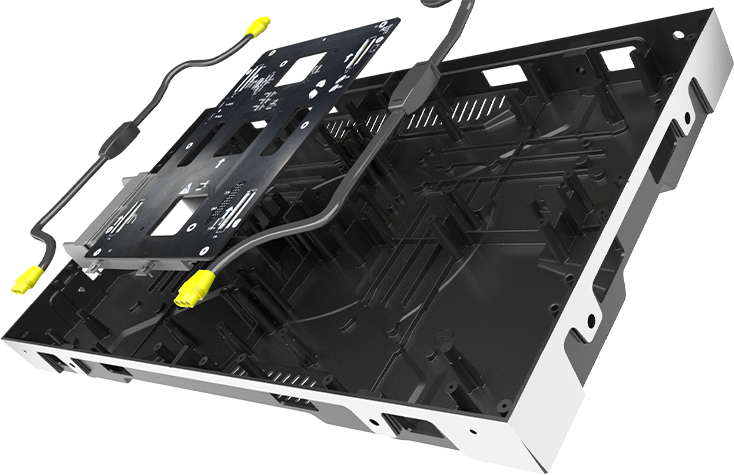
Service access should be discussed at the same time as structural framing, power distribution and signal routing.
Front service can reduce rear-access requirements, but it does not remove the need for proper structural, electrical and thermal planning.
For installation considerations, see the LED Display Installation Guide.
Conference-room content is frequently produced in 16:9 formats. Presentations, video conferencing interfaces and standard HD or UHD video are commonly designed around that aspect ratio.
An LED cabinet with a 16:9 physical format can make it easier to construct a complete wall that maintains a familiar video proportion.
The F-Gold series, for example, uses a 600 × 337.5 mm cabinet, which has a 16:9 physical ratio. Different pixel pitches then provide different native resolutions within the same cabinet dimensions.
Cabinet shape is not a substitute for calculating final wall resolution, but it can simplify physical screen planning where a standard 16:9 video wall is desired.
Direct-view LED is not automatically the right answer for every meeting room. Smaller rooms with modest display sizes and very close viewing may still be well served by professional LCD displays.
| Factor | Direct-View LED | LCD |
|---|---|---|
| Bezel | Can form a seamless modular canvas. | Single displays have no internal bezel, but multi-panel video walls create panel boundaries. |
| Large Custom Sizes | Highly flexible within module and cabinet increments. | Based on available panel sizes. |
| Very Close Viewing | Requires sufficiently fine pixel pitch. | High pixel density can make LCD practical for very close viewing. |
| Service | Module- and cabinet-level service depending on system design. | Usually serviced or replaced at display-panel level. |
For a broader comparison, read LCD vs LED Displays Comparison.
A technically correct LED panel configuration can still produce a poor meeting-room experience if the rest of the AV workflow is not considered.
Confirm these systems before finalizing the LED wall:
Video conferencing platform and room computer
Source resolution and output frame rate
Video processor and LED controller
Laptop and BYOD input requirements
Camera positions and typical framing
Microphone and loudspeaker placement
Power distribution and electrical circuits
Network requirements for control and monitoring
Control-room or redundancy requirements
Wall structure, cable routing and maintenance access
Fine-pitch LED pricing should not be compared only as a price per square meter. Two walls of the same physical size can have very different total costs if they use different pitch, cabinet structure, processing equipment or redundancy options.
| Pixel Pitch | Finer pitches place more pixels and electronics within the same screen area. |
| Screen Area | Larger walls require more cabinets, modules, power supplies and supporting structure. |
| Native Resolution | A true native 4K wall can require a substantially finer pitch or larger physical display than a 1080p wall. |
| Video Processing | Multi-window layouts, signal switching and higher pixel counts can change controller and processor requirements. |
| Installation | Supporting structure, wall finishing, electrical work and site access all influence project cost. |
| Redundancy | Critical executive or command environments may justify backup signal or power configurations. |
For a deeper cost breakdown, see the Indoor LED Video Wall Price Guide.
Scenario 01
Viewers may sit relatively close and need to read presentation text, financial information and shared documents. A finer pitch can have real value, while the total screen may not need to be extremely large.
Scenario 02
The system may spend most of its time showing presentations, remote participants and video. A balanced pitch can provide enough resolution without paying for pixels that users cannot distinguish from their seats.
Scenario 03
The wall may need to be physically much larger so distant viewers can see the image. A somewhat larger pixel pitch can still produce a high overall resolution because the physical display itself is larger.
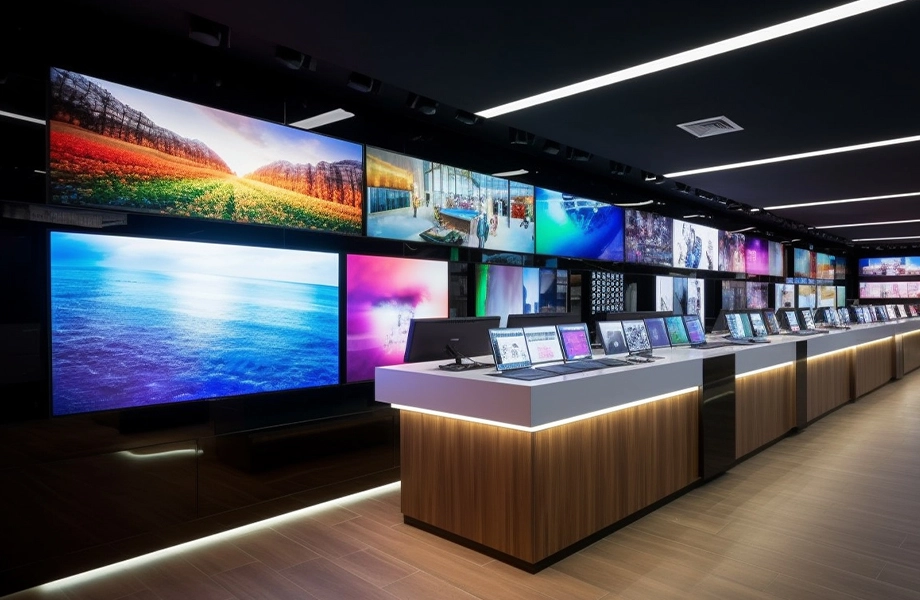
A larger meeting room does not always require the smallest pixel pitch; physical image size and final native resolution must be considered together.
Pitch and screen dimensions together determine native resolution. They cannot be selected independently.
The wall may look sharp from the front row but still be physically too small for the people at the back.
The processor may accept a 3840 × 2160 source while the physical LED raster has far fewer pixels.
A wall that looks good to the eye can behave differently when captured by a room camera.
Conference-room viewers normally benefit more from stable grayscale and comfortable brightness than extreme light output.
A rear-service screen can become difficult to maintain if the room design provides no usable space behind the wall.
Use real presentations, spreadsheets, remote-participant layouts and the smallest text that the room will actually display.
A supplier can recommend a much more useful configuration when the project brief contains actual room conditions rather than only a requested pitch.
Usable wall width and height
Distance from the screen to the nearest important viewer
Distance to the farthest important viewer
Typical content: presentations, dashboards, spreadsheets, video or video conferencing
Smallest text or information that must remain readable
Desired aspect ratio
Source resolution and video system
Whether the wall will regularly appear on camera
Available wall depth and preferred service method
Installation method
Signal or power redundancy requirements
Project location and quantity
There is no universal best pitch. The decision depends on screen dimensions, nearest viewing position, content detail and required native resolution. Fine-pitch options around P0.9 to P1.9 commonly enter the discussion for professional close-view rooms, but the final selection should be project-specific.
Not always. Native 4K provides more physical pixels, but a well-designed lower-resolution wall may provide sufficient image detail at the actual viewing distance. Content type, wall size and budget should determine whether native 4K provides useful value.
It is especially relevant when cameras regularly capture the LED wall. A room used only for direct human viewing may have different priorities. Refresh rate should be considered together with camera settings, scan configuration and controller performance.
It can be particularly useful when the display is mounted directly against a wall and there is no rear service corridor. Whether it is required depends on the room architecture and installation method.
Not in every room. LED becomes attractive when a large seamless display, custom dimensions or a scalable video wall is required. LCD can remain practical for smaller rooms or very close viewing where a standard flat-panel size is sufficient.
Divide the physical screen width and height in millimeters by the pixel pitch in millimeters. The resulting horizontal and vertical pixel counts give the approximate native resolution before final cabinet-layout adjustments.
Test real presentation slides, spreadsheets, small text, remote video participants, dark images and camera footage rather than relying only on high-impact demo videos.
Provide wall dimensions, nearest and farthest viewing positions, typical content, target resolution, camera use, installation conditions, maintenance access and any redundancy requirements.
Conference Room LED Project
Send SEEKSTARLED your room dimensions, available wall size, nearest and farthest viewing positions, typical content and camera requirements. We can compare suitable indoor LED configurations and calculate the screen dimensions, pixel pitch and native resolution for the project.
View Indoor LED Video Walls Request a Configuration

 English
 日本語
日本語 français
 Deutsch
 Español
 italiano
 русский
 português
 العربية