Choosing a rental LED display is not simply a matter of comparing pixel pitch and price per square meter. A screen that looks impressive in a specification sheet may still create problems if it is too heavy for the structure, too dim for the venue, difficult to service, slow to assemble, or unsuitable for live camera production.
For rental companies, event production teams, AV integrators, venues, and distributors, the better question is: Which LED system can be installed safely, perform consistently, adapt to different events, and generate a reliable return over repeated use? This guide explains how to evaluate the practical factors that affect that decision.
Quick answer
Start with the closest viewing distance, indoor or outdoor environment, camera requirements, final screen dimensions, and installation method. For many event projects, P2.6–P3.9 is a practical starting range, while a 3840Hz-class configuration is commonly preferred for camera-facing applications. However, the final choice must also account for brightness, grayscale at low brightness, cabinet weight, service access, power distribution, structural loads, weather exposure, and the complete cost of ownership.
A rental LED screen should be selected around the jobs it needs to perform. Before requesting a quotation, define the following five conditions:
Closest important viewer: the nearest person who must see text, faces, graphics, or sponsor logos clearly.
Venue and ambient light: indoor ballroom, exhibition hall, shaded stage, or direct outdoor daylight.
Camera use: audience viewing only, event recording, live broadcast, IMAG, or social media production.
Screen geometry: standard rectangle, curved wall, corner, backdrop, suspended screen, ground stack, or wind-permeable design.
Rental workflow: expected setup frequency, crew size, transport method, service access, and spare-parts strategy.
These inputs narrow the product options much more effectively than choosing the smallest pixel pitch available. They also give a rental LED display manufacturer enough information to prepare a configuration rather than a generic price list.
Pixel pitch is the center-to-center distance between adjacent pixels, measured in millimeters. A smaller number places more pixels in the same area and can produce finer detail at close range, but it normally increases the number of LEDs, processing demand, and purchase cost.
The closest important viewer is a useful first filter. As a preliminary rule, a pitch of approximately P3 can be considered for viewers beginning around 3 meters away, while P4-class products are generally considered from farther back. This is not a universal guarantee: text size, camera distance, screen size, content detail, and the viewer's visual expectations can all change the result. AV professionals can also consult the AVIXA guidance on selecting pixel pitch.
| Pixel Pitch | Practical Starting Point | Typical Rental Applications | Important Trade-off |
|---|---|---|---|
| P1.953–P2.5 | Close indoor viewing | Premium corporate events, exhibitions, broadcast-oriented indoor stages | Higher acquisition cost and more pixels to process |
| P2.604–P2.976 | Close-to-medium viewing | Indoor stages, conferences, product launches, camera-facing events | Good visual detail, but the budget is higher than P3.91 |
| P3.91 | Medium viewing distance | General indoor and outdoor events, concerts, touring stages | Versatile rental inventory, but less detail at very close range |
| P4.81 | Medium-to-long viewing | Outdoor festivals, larger stages, long-distance audience viewing | Lower pixel density than P3.91, so small text needs careful design |
Procurement tip: ask the supplier to show the same test content on two candidate pitches at the intended viewing distance. Include faces, moving video, sponsor logos, small text, dark gradients, and low-brightness scenes. A real viewing test is more useful than comparing pixel density alone.
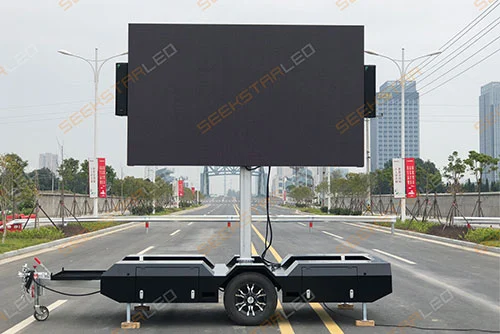
An indoor cabinet should not be converted into an outdoor solution simply by increasing brightness. Outdoor deployment adds exposure to rain, dust, changing temperatures, wind, sunlight, uneven ground, and more complex power and structural conditions.
| Decision Point | Indoor Events | Outdoor Events |
|---|---|---|
| Brightness | Controlled around venue lighting and camera exposure | Selected for actual sunlight, screen orientation, and operating time |
| Environmental protection | Protection against normal indoor handling and dust | Ingress protection must be verified for the selected cabinet and connections |
| Structure | Venue load limits, access, floor protection, and overhead rigging | Wind action, ballast, soil or platform conditions, and weather plan |
| Service access | Often limited by walls, stages, or decorative structures | Must remain practical while cables and modules are protected from weather |
IP ratings classify an enclosure's protection against solids and water; the International Electrotechnical Commission explains the IP code defined by IEC 60529. An IP rating does not by itself establish wind-load capacity, rigging safety, electrical approval, or suitability for every outdoor event.
For reference, the SEEKSTARLED R-Water outdoor rental LED screen lists IP65 protection, brightness of at least 4,500 cd/m², 3840Hz refresh, and 53%–80% transparency depending on configuration. Its open design can reduce wind resistance, but the complete event structure must still be engineered for the site.
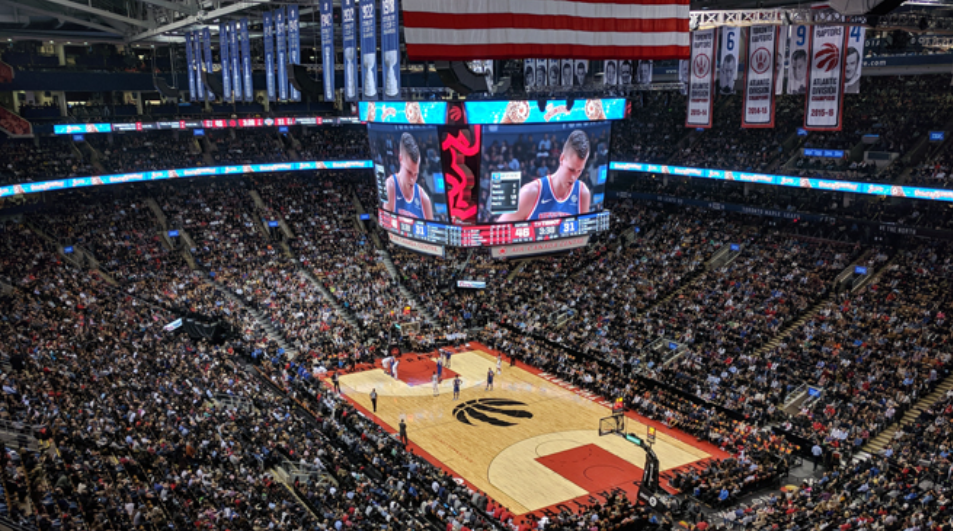
Refresh rate describes how frequently the LED system refreshes the displayed image. A high-refresh rental LED display can reduce visible scan lines, flicker, and banding when the screen is recorded, which is why 3840Hz-class systems are commonly requested for conferences, concerts, broadcasts, and livestreams.
However, a 3840Hz specification is not a guarantee of perfect camera performance. The final result also depends on:
Camera frame rate, shutter speed, and shutter angle
LED scan ratio and driver IC
Grayscale performance at the brightness used during the show
Controller configuration and signal processing
Content frame rate and input signal
How the screen is exposed relative to performers and stage lighting
Best practice: conduct an on-camera test with the actual or representative camera system. Test bright scenes, dark gradients, skin tones, slow-motion settings, and the lowest brightness expected during production.
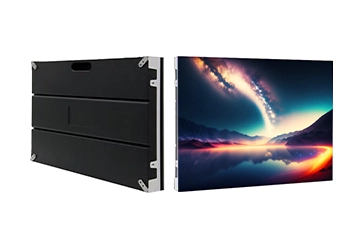
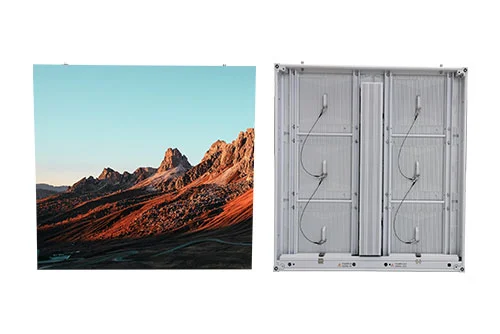
Cabinet size affects far more than screen dimensions. It changes the number of cabinets, locks, power/data connections, flight cases, spare units, and handling steps required for every event.
| Factor | 500×500 mm Cabinet | 500×1000 mm Cabinet |
|---|---|---|
| Best use | Curves, corners, irregular sizes, and flexible layouts | Large rectangular walls and faster coverage |
| Handling | Smaller individual unit | Larger individual unit; handling method must suit the crew |
| Connection count | More cabinets and connections for the same area | Fewer cabinets and connections for the same area |
| Inventory flexibility | Useful for small screens and creative builds | Efficient for repeated standard-format events |
| Mixed use | Possible only when the product system is designed for compatible mixed-cabinet splicing, alignment, locking, and signal mapping | |
For a 6 m × 4 m wall, 500×500 mm cabinets would require 96 cabinet positions, while 500×1000 mm cabinets could cover the same rectangular area with 48 positions when orientation and system design allow it. The larger cabinet can reduce assembly steps, while the smaller format provides more layout flexibility.
The installation method should be confirmed before the order because it affects cabinet locks, hanging bars, support frames, rear clearance, cabling, and the number of cabinets that may be placed in a vertical column.
Prioritize cabinet alignment, consistent flatness, fast locks, protected corners, and easy module replacement. A flat wall used behind presenters must also be tested at low brightness so that the screen does not overpower faces on camera.
Confirm the available concave and convex angles, lock increments, mixed-cabinet compatibility, controller mapping, and whether the curve creates visible seams from the audience's main viewing positions. The R-Wood LED video wall rental series, for example, is built around a curve-lock system and modular service design.
Calculate the total suspended load from cabinets, hanging hardware, cables, distribution equipment, and any secondary accessories. Verify the manufacturer's allowable hanging configuration and obtain project-specific approval from qualified rigging and structural professionals. The Event Safety Alliance standards and guidance include requirements and planning considerations for event rigging and temporary structures.
Confirm base dimensions, floor loading, stage capacity, ballast, bracing, rear clearance, and public exclusion zones. Outdoor systems also require a weather and wind-action plan. Rigging equipment should be inspected and used within its identified working load; U.S. projects can refer to applicable OSHA requirements for rigging equipment. Local regulations and the authority having jurisdiction always take priority.
A rental fleet earns revenue when it is available, complete, and quick to deploy. Repairability therefore matters as much as image quality. Evaluate the complete service path, not only whether the product description says “front and rear maintenance.”
Can a module be replaced without removing neighboring cabinets?
Can the power supply, receiving card, and hub board be accessed quickly?
Are power and data connectors protected during transport?
Are left/right or indoor/outdoor modules easy to identify?
Can damaged masks, modules, and PSU boxes be replaced from local stock?
Are calibration files and configuration backups supplied?
Does the flight-case layout match the crew's loading and unloading process?
Features such as embedded modules, pluggable power boxes, cable-free connections, fast locks, and corner protectors can shorten repeated setup and maintenance work. Their value should be assessed across the number of events expected each year, rather than treated as decorative product features.
Average power consumption is useful for estimating normal energy use. It should not be the only value used to size power distribution, cabling, breakers, connectors, or a generator. Those decisions must consider maximum demand, power factor, system startup behavior, distribution balance, required headroom, and applicable electrical codes.
Illustrative calculation
A 6 m × 4 m outdoor screen has an area of 24 m².
Maximum display load: 24 m² × 800 W/m² = 19.2 kW
Typical operating estimate: 24 m² × 267 W/m² ≈ 6.4 kW
The figures use listed values for selected outdoor R-Gold configurations only. They do not include processors, network equipment, cooling, auxiliary equipment, distribution losses, or engineering margin. A qualified electrical professional must design the final system.
Also request a power-distribution drawing, connector specification, phase-loading plan, maximum cabinets per circuit, data redundancy plan, and a list of compatible backup equipment.
Two quotations with the same screen area may include very different systems. Before comparing prices, normalize the scope and confirm whether each quotation includes:
Then consider the labor required per installation, transport volume, failure recovery time, spare-parts availability, and whether the inventory can be divided into several smaller screens. A slightly higher initial purchase price may be justified if the system reduces setup time or supports more profitable event configurations.
| Series | Best Starting Use | Key Design Direction | Listed Pitch Options |
|---|---|---|---|
| R-Gold | General indoor/outdoor stage inventory | Cable-free connection, pluggable PSU box, front/rear maintenance | P1.953, P2.5, P2.604, P2.976, P3.91, P4.81 |
| R-Wood | Curved or flexible rental video walls | Curve-lock system, modular service, quick setup | P1.953, P2.5, P2.604, P2.976, P3.91, P4.81 |
| R-Water | Wind-permeable outdoor stages and creative walls | 53%–80% transparency, fast lock, die-cast aluminum, IP65 listed | P3.9–7.8, P5.2–10.4, P10.4–10.4, P15.6–15.6 |
| R-Fire | Stage backdrops and mixed-cabinet layouts | Mixed cabinet splicing, corner protectors, 3840Hz listed | P2, P2.5, P2.604, P3.91, P4.81 |
The table is a starting point, not a substitute for a project-specific configuration. Availability, detailed specifications, certifications, compatible accessories, and structural limitations should be confirmed for the exact model and order.
Sending complete project information helps the supplier recommend the right system and reduces quotation revisions. Include:
Indoor or outdoor use
Screen width and height
Closest, typical, and farthest viewing distance
Main content type and smallest text requirement
Live camera, broadcast, or slow-motion requirements
Flat, concave, convex, corner, or transparent layout
Hanging, ground-supported, or fixed installation
Expected maximum vertical cabinet count
Available input signals and controller preference
Local supply voltage and frequency
Required power/data redundancy
Expected number of setups per year
Required spare-parts percentage and local service plan
Flight-case and transport restrictions
Destination market, required documentation, and project deadline
There is no single best pitch. P2.6–P3.9 is a useful starting range for many event applications, but the final decision depends on closest viewing distance, screen size, content, camera use, venue lighting, and budget. Close indoor viewers may justify P1.953 or P2.5, while larger outdoor stages may use P3.91 or P4.81.
It is commonly preferred when cameras will record the screen. Audience-only applications may not always require it, but camera performance must be verified with the intended frame rate, shutter settings, brightness, scan mode, driver IC, and processor configuration.
Choose 500×500 mm when layout flexibility, curves, and smaller screen sizes are priorities. Choose 500×1000 mm when faster coverage and fewer cabinet connections are more important. A compatible mixed inventory can provide both speed and flexibility.
Not unless the exact product and complete system are approved for the outdoor conditions involved. Outdoor use requires appropriate ingress protection, brightness, connectors, temperature performance, power distribution, support structure, wind planning, and weather procedures.
Purchase cost varies with pixel pitch, LED type, brightness, cabinet design, controller, rigging accessories, spare parts, flight cases, certifications, shipping, and support. Compare quotations only after confirming that the included system scope is equivalent.
The right quantity depends on fleet size, event frequency, service location, shipping time, and acceptable downtime. Build a model-specific list covering modules, receiving cards, power supplies, cables, masks, locks, and any proprietary parts, then confirm the recommended ratio with the manufacturer.
The right rental LED display is the system that fits the jobs your business actually serves. Pixel pitch determines visible detail, but repeated profitability also depends on fast assembly, reliable camera performance, flexible cabinet combinations, service access, safe installation planning, manageable transport, and readily available spare parts.
SEEKSTARLED supplies indoor, outdoor, curved, backdrop, and wind-permeable rental LED display solutions. Share your screen dimensions, event type, viewing distance, installation method, camera requirements, destination market, and delivery schedule to receive a project-specific recommendation.
Need a Rental LED Display Configuration?
Send your event and screen requirements to compare suitable pitch, cabinet, control, spare-parts, and installation options.
Request a Project Recommendation

 English
 日本語
日本語 français
 Deutsch
 Español
 italiano
 русский
 português
 العربية