English
 日本語
日本語 français
 Deutsch
 Español
 italiano
 русский
 português
 العربية


Pixel Pitch Decision Guide
Three buyers can all ask for a “high-resolution LED screen” and need three completely different products. The deciding factor is not the smallest pitch on a quotation—it is how viewing distance, screen dimensions, source resolution and content work together.
Imagine three projects arriving on the same morning.
Control Room
Nearest viewer: 1.2 m
Operators must read small labels, numbers and alerts for hours at a time.
Live Event
Nearest viewer: 5 m
The wall shows presenters, brand graphics and video while cameras record the stage.
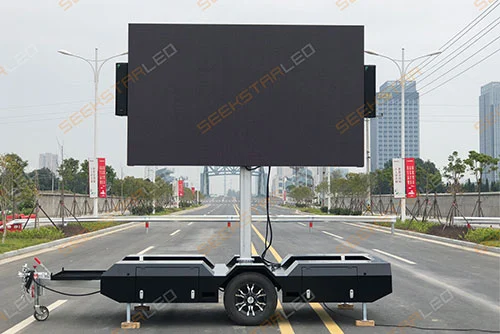
Roadside Display
Nearest viewer: 35 m+
Drivers see large text and bold images for only a few seconds, usually from much farther away.
A P1.2-class display may be justified in the first room, excessive for the roadside installation, and only one of several viable options for the stage. That is why LED display pixel pitch cannot be selected in isolation. A useful decision starts with the closest important viewer, then checks whether the completed screen provides enough pixels for the content.
What pixel pitch actually changes
Pixel pitch is the center-to-center distance between neighboring LED pixels, measured in millimeters. P1.5 means those centers are approximately 1.5 mm apart; P3.91 means they are approximately 3.91 mm apart. The lower the number, the more pixels fit into each square meter.
The density relationship
Approximate pixels per m² = 1,000,000 ÷ pitch²
Halving the pitch does not merely double pixel density. It produces roughly four times as many pixels in the same area.
That extra density can improve fine detail at close range, but it also changes the number of LED packages, receiving cards, data load and processing resources required by a screen. A smaller pitch therefore needs a reason. If no important viewer can see the difference, the extra budget may deliver little practical value.
Pixel pitch is only one specification among many. Brightness, refresh rate, grayscale, scan configuration, color performance, service access and environmental protection still matter. For the wider context, use our LED display specifications guide; this page stays focused on pitch, viewing distance and resolution.
There is no single “correct” viewing-distance formula
Online calculators often return one distance as if a hard boundary exists. Human perception does not work that neatly. A viewer may notice the physical pixel structure at one distance yet still read the content successfully. Another viewer may stand farther away but struggle because the designer used very small text. Camera lenses can reveal patterns that an audience member barely notices.
This explains why established AV references publish different planning conventions. Christie describes an approximate one-meter-per-millimeter relationship for minimum viewing distance. Barco presents an optimal viewing distance of roughly two meters per millimeter . The two rules are more useful as different thresholds than as competing claims:
Threshold A
Pitch in mm × about 1 m
A rough close-view starting point. Pixel structure may still be visible, especially with high-contrast graphics or fine text.
Threshold B
Pitch in mm × about 2 m
A more comfortable planning distance at which the pixel grid is generally less prominent for typical content.
Use the first number to reject obviously coarse options and the second to estimate a visually comfortable zone. Then test the finalists using the actual content. AVIXA also emphasizes evaluating pixel pitch in relation to viewing conditions and content.
P1.2 to P10 pixel pitch and viewing-distance chart
The chart below is a fast way to create a shortlist. “Minimum starting distance” and “comfortable planning distance” are approximate thresholds based on the two rules above—not guarantees of image quality.
| Pixel pitch | Approx. pixels/m² | Minimum starting distance | Comfortable planning distance | Where it often enters the conversation |
|---|---|---|---|---|
| P1.2 | 694,444 | About 1.2 m | About 2.4 m | Control rooms, executive rooms, premium close-view walls |
| P1.5 | 444,444 | About 1.5 m | About 3.0 m | Meeting rooms, broadcast sets, indoor fine-pitch walls |
| P1.8 | 308,642 | About 1.8 m | About 3.6 m | Corporate lobbies, studios, command environments |
| P1.953 | 262,178 | About 2.0 m | About 3.9 m | Close-view rental, exhibitions, detailed indoor content |
| P2.5 | 160,000 | About 2.5 m | About 5.0 m | Retail, auditoriums, event stages, some outdoor close-view uses |
| P2.604 | 147,456 | About 2.6 m | About 5.2 m | Rental stages and camera-facing event walls |
| P2.976 | 112,896 | About 3.0 m | About 6.0 m | Events, churches, exhibitions, indoor or outdoor rental |
| P3.91 | 65,536 | About 3.9 m | About 7.8 m | General rental, larger venues, concerts, outdoor stages |
| P4.81 | 43,264 | About 4.8 m | About 9.6 m | Touring stages and medium-to-long outdoor viewing |
| P6 | 27,778 | About 6 m | About 12 m | Outdoor advertising, stadium and building displays |
| P8 | 15,625 | About 8 m | About 16 m | Roadside signs and long-distance outdoor media |
| P10 | 10,000 | About 10 m | About 20 m | Large-format façades, roadside and stadium displays |
Important: density values are approximate and may vary slightly with the manufacturer’s exact physical pitch and module grid. Application examples are starting points, not restrictions.
The calculation that matters more than the distance rule
Once two or three pitches survive the viewing-distance check, calculate the native resolution of the complete wall. This is where many quotations that look similar begin to separate.
LED screen resolution formula
Horizontal pixels = screen width in mm ÷ pixel pitch in mm
Vertical pixels = screen height in mm ÷ pixel pitch in mm
Total pixels = horizontal pixels × vertical pixels
Take a nominal 6 m × 3 m video wall. Its area remains 18 m² regardless of pitch, but its ability to reproduce source detail changes dramatically:
| 6 m × 3 m wall | Approx. native resolution | Approx. total pixels | What changes |
|---|---|---|---|
| P2.5 | 2400 × 1200 px | 2,880,000 | The most detail of these three options |
| P2.976 | About 2016 × 1008 px | About 2,032,000 | A middle position in density and processing load |
| P3.906 | About 1536 × 768 px | About 1,180,000 | Fewer source pixels, often acceptable from farther away |
These values illustrate the relationship, but a real LED wall cannot be ordered in infinitely adjustable dimensions. The final width, height and resolution must follow whole modules and cabinets. Ask the supplier for a cabinet layout and pixel map; do not rely only on area and nominal pitch.
“We need a 4K LED wall” is an incomplete requirement
4K describes a pixel raster, not a physical screen size. On direct-view LED, the pitch determines how large a native 3840 × 2160 canvas becomes. The same is true for Full HD.
| Nominal pitch | Approx. size for 1920 × 1080 | Approx. size for 3840 × 2160 | Practical implication |
|---|---|---|---|
| P1.25 | 2.40 × 1.35 m | 4.80 × 2.70 m | A true 4K raster can fit within a medium indoor wall |
| P1.56 | 3.00 × 1.68 m | 5.99 × 3.37 m | Useful when close viewing and detailed content justify the density |
| P1.87 | 3.59 × 2.02 m | 7.18 × 4.04 m | The same 4K target already requires a substantially larger wall |
| P2.5 | 4.80 × 2.70 m | 9.60 × 5.40 m | Native 4K becomes a large installation |
| P3.906 | About 7.50 × 4.22 m | About 15.00 × 8.44 m | Native 4K is generally relevant only at very large scale |
The dimensions above are mathematical results. Production dimensions must be adjusted to the chosen module and cabinet increments, so the finished raster may differ slightly.
This does not mean every screen needs to reproduce the input signal pixel for pixel. A video processor can scale a 4K source to a lower native LED canvas, and viewers may find the result excellent at the intended distance. The right question is: Does the completed screen contain enough pixels for the smallest meaningful detail in the content?
The content can overrule the distance chart
Return to the 5-meter event audience. A P3.91 screen and a P2.6 screen may both pass a basic distance check, but they are not interchangeable.
Large faces and cinematic video: the coarser option may look convincing because the content contains large visual features and continuous motion.
Financial dashboards and presentation slides: the finer option gains value because thin lines and small characters must survive scaling.
Sponsor logos: the answer depends on the smallest logo, its line weight and how much of the screen it occupies—not merely the logo file’s original resolution.
Do not test candidates with glossy demo reels alone. Prepare one still frame containing the smallest real text, the most detailed chart, a face, a dark gradient and the thinnest brand element. Display that frame at the intended physical size and stand at the nearest important position.
When cameras are involved, the audience is no longer the only viewer
A camera can expose moiré, scan behavior or pixel structure differently from the human eye. Lens choice, camera position, focus, aperture, shutter settings, scan configuration and refresh performance all affect the captured result. Selecting a smaller pitch can help in some setups, but it is not a universal cure.
For broadcast, virtual production, conferences or IMAG, provide the supplier with the planned camera distances and typical framing. Then conduct a test using a representative camera chain. Move through the required focal lengths and focus positions; do not approve the display based on a phone recording from one location.
A smaller pitch can be the more expensive way to solve the wrong problem
Pixel pitch often has a major effect on LED screen price , but the difference is wider than the panel quotation. A denser wall has more pixels to drive and may need more receiving capacity, video outputs and processing resources. Installation type, redundancy, structure, power distribution and spare-parts strategy can outweigh pitch-related savings or costs.
Suppose a viewer stands 20 meters from an outdoor advertising screen. Moving from P8 to P4 quadruples approximate pixel density. If the content is still limited to a bold product image and a six-word message, the improvement may not justify the full system cost. Better brightness control, contrast, content design or screen placement might produce more visible value.
The opposite mistake also happens: a project saves money with a coarse pitch, then discovers that the installed wall cannot render required text from the front row. That limitation cannot be corrected with a sharper source file. Native pixels that do not exist cannot be recovered later.
From project conditions to a SEEKSTARLED starting range
The following product families illustrate how project context narrows the pitch range. This is not an automatic product selector; cabinet format, brightness, access, structural design and regional requirements still need review.
Permanent indoor / close view
Actual pitch options listed at 0.93, 1.25, 1.56 and 1.87 mm, with a 600 × 337.5 mm cabinet.
Permanent indoor / broader range
Actual pitch options listed from 1.25 to 2.5 mm, using a 640 × 480 mm cabinet.
Events / repeated installation
Pitch options from P1.953 to P4.81, with 500 × 500 mm and 500 × 1000 mm formats.
Outdoor fixed installation
Product families cover close outdoor pitches through P10 for different viewing distances and formats.
Build the specification backwards
Instead of starting a quotation request with “Please quote P2.5,” send the project conditions in the order that decisions actually happen:
A useful project brief answers seven questions
What is the nearest important viewing distance? Not the room length—the closest position from which detail matters.
What are the maximum available width and height? Include access and structural limits.
What is the source format? Give the actual output resolution, frame rate and signal path.
What is the smallest critical content? Attach a real slide, dashboard, logo sheet or signage frame.
Will cameras see the display? State camera positions and production type.
What light and weather will it face? Indoor ambient light and direct outdoor sunlight lead to different systems.
How will it be installed and serviced? Fixed, wall-mounted, suspended, ground-supported or repeatedly rented.
With those inputs, a supplier can return two or three meaningful layouts showing physical dimensions, exact pixel resolution, cabinet count, viewing-distance rationale and system requirements. Without them, even a technically accurate quotation may solve the wrong problem.
Five shortcuts that usually lead to poor decisions
“Choose the smallest pitch the budget permits.” This ignores whether viewers benefit from the added density and what else the budget must cover.
“P3 means exactly three meters.”It is a useful estimate, not a quality guarantee or a legal boundary.
“A 4K input makes the LED wall 4K.”The processor can accept 4K while the wall itself has a much lower native raster.
“The audience likes it, so the camera will too.”Camera artifacts require an on-camera test under representative settings.
“The screen is 18 m², so every 18 m² quotation is comparable.”Pitch, exact pixel count, aspect ratio, cabinet layout and processing architecture can differ substantially.
Questions buyers ask after seeing the numbers
Is P2.5 good for a 3-meter viewing distance?
It is a reasonable candidate for many applications. At 3 meters, content type and expectations become important: video and large graphics may look strong, while very small text may justify testing P2 or a finer option. Judge it at the intended brightness with real content.
What is the best pixel pitch for a 5-meter viewing distance?
P2.5 to P4-class products can all enter the shortlist, depending on whether 5 meters is a hard nearest position or a comfortable average. Screen dimensions, text size, camera use and budget should decide among them.
Can viewers stand closer than the recommended minimum?
Yes, but they are more likely to see the pixel structure and may perceive fine detail less naturally. A recommended distance describes an expected viewing experience, not a physical safety barrier.
Does a lower pixel pitch always produce better image quality?
No. It provides more spatial resolution per square meter, but processing, LED quality, calibration, grayscale, contrast, refresh performance and content all contribute to the final image. From a long distance, the audience may not resolve the extra pixels.
How do I calculate the resolution of a curved or irregular LED screen?
Calculate the pixel grid of each cabinet or section, then map the complete canvas according to the actual layout. Simple width-divided-by-pitch arithmetic becomes less reliable when sections have different orientations, clipped corners or mixed dimensions, so request a pixel map from the system designer.
Should I choose pitch before cabinet size?
Treat them as linked decisions. Pitch sets density, while module and cabinet dimensions determine the screen sizes you can build without partial units. A visually suitable pitch can still be impractical if its cabinet grid does not fit the available space or target aspect ratio.
Bring dimensions, distance and content—not just a pitch number
Send SEEKSTARLED your nearest viewing position, available screen size, installation environment and a sample of the real content. We can compare suitable pixel pitches and return the cabinet layout, native resolution and product configuration for your project.
Request a pixel-pitch recommendation